
Forex Broker Currency Conversion Fee: 2026 Guide
By Joanne Cassar / 18. Oct 2026
read more
By Joanne Cassar / 22. Sep 2026

IC Markets - Regulated By FSA
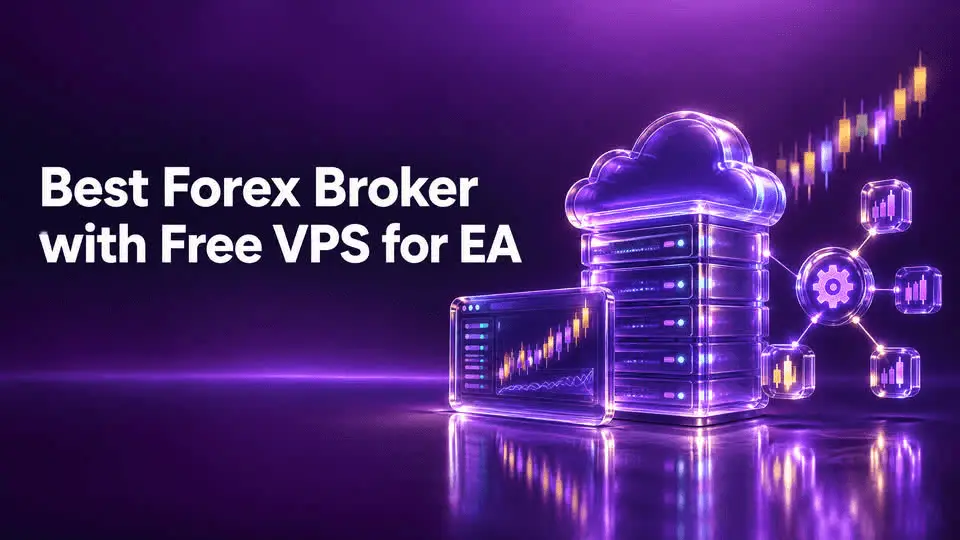
Finding a reliable forex broker with free VPS for EA is a game-changer for algorithmic traders who want 24/7 uptime without recurring monthly hosting fees. Whether you are running complex MetaTrader 4 Expert Advisors, multi-currency grid bots, or high-frequency scripts, keeping your terminal connected to the market is critical. Platforms like TradersWay offer versatile trading solutions, while specialized brokers provide sponsored virtual private servers to eliminate downtime, reduce latency, and maximize execution performance.
Running an Expert Advisor (EA) from a personal home computer exposes your trading capital to severe risks—including internet dropouts, power outages, and operating system updates that restart your terminal mid-trade. By utilizing a broker-sponsored Virtual Private Server (VPS), your automated algorithms run securely in institutional data centers (such as Equinix NY4 or LD4) right next to your broker's matching engine.
This comprehensive 2026 guide explores how free VPS programs work, evaluates the top forex brokers offering sponsored EA hosting, and provides a step-by-step framework to optimize your automated trading infrastructure.
A Virtual Private Server (VPS) is a virtual machine hosted in a professional data center that runs 24 hours a day, 7 days a week. For retail traders deploying automated strategies, a VPS solves several core infrastructure challenges:
Continuous Uptime: EAs operate autonomously. If your local computer shuts down, your robot stops managing open positions, leaving stop-losses and take-profits unprotected. A VPS guarantees uninterrupted execution.
Ultra-Low Latency: Physical proximity matters. A VPS located in London (LD4) or New York (NY4) connects to your broker's server in 1 to 5 milliseconds, drastically reducing slippage during volatile market news.
Network Stability: Unlike residential broadband connections which can experience jitter or packet loss, enterprise data centers feature redundant power supplies and multi-gigabit fiber connections.
+-------------------------------------------------------------------------+
|                    THE TRADING BOT ARCHITECTURE                         |
|                                                                         |
|   [ Your EA Code ] ---> [ Broker Free VPS (LD4/NY4) ] ---> [ ECN Engine ]
|                              |                                          |
|                     (24/7 Remote Uptime)                                |
+-------------------------------------------------------------------------+
While independent VPS providers like BeeksFX or ForexVPS charge anywhere from $20 to $50 per month, many top-tier forex brokers subsidize or fully cover these costs for qualifying clients. Brokers generally structure free VPS access through two main models:
Volume-Based Qualification: The broker covers your VPS fee as long as you maintain a minimum monthly trading volume (e.g., trading 10 to 15 standard lots per month). This aligns the broker's incentives with your active trading frequency.
Minimum Deposit & Account Tier: Some brokers grant complimentary VPS access automatically upon funding a live account with a specified minimum balance (e.g., $500 or $1,000) or when opening a professional/VIP account tier.
Evaluating which broker fits your algorithmic strategy requires looking beyond the "free" label to examine hardware specs, server locations, and volume thresholds.
Pepperstone offers robust sponsored VPS plans in partnership with industry leaders like BeeksFX, tailored for traders executing heavy automated volumes.
VPS Plans: Core, Plus, and Pro tiers featuring up to 8GB RAM and 200GB SSD storage.
Qualification Criteria: Maintained notional volume ranging from 10 to 20 FX lots per month depending on the VPS tier.
Key Advantage: Direct connection to 22 key financial data centers worldwide with latency as low as 1ms.
IC Markets partners with top-tier VPS providers to offer complimentary hosting for active algorithmic traders.
Qualification Criteria: Clients who trade a minimum of 15 standard lots per month on forex or metals qualify for a fully reimbursed VPS subscription.
Key Advantage: Excellent raw ECN spreads (starting from 0.0 pips) combined with Equinix NY4 server co-location make it ideal for tick scalpers and high-frequency EAs.
ThinkMarkets provides streamlined VPS integration through partnerships with ForexVPS and Beeks.
Hardware Specs: Standard configurations feature 3GB RAM and 80GB storage with pre-installed MetaTrader 4 and 5 platforms.
Key Advantage: Rapid 5-minute activation with 100% uptime guarantees and dedicated technical support for EA troubleshooting.
| Broker | Minimum Volume / Condition | VPS Provider Partner | RAM / Storage | Platform Compatibility |
| Pepperstone | 10 – 20 lots / month | BeeksFX / ForexVPS | Up to 8GB / 200GB | MT4, MT5, cTrader |
| IC Markets | 15 lots / month | Multiple Partners | Standard / Custom | MT4, MT5, cTrader |
| ThinkMarkets | Account Tier / Volume | ForexVPS / Beeks | 3GB / 80GB | MT4, MT5 |
| Switch Markets | Deposit requirement | In-House / Partner | High Performance | MT4, MT5 |
Not all virtual private servers are created equal. When selecting a forex broker with free VPS hosting, review these technical parameters to ensure your automated strategy runs without bottlenecking:
+-------------------------------------------------------------------------+
|                  VPS HARDWARE CHECKLIST FOR ALGO TRADERS                |
|                                                                         |
|  [ vCPUs ] ----> Minimum 2 cores for running multiple MT4/MT5 terminals  |
|  [ RAM ]   ----> At least 4GB RAM to prevent memory leaks in backtests  |
|  [ SSD ]   ----> Solid State Drives for lightning-fast tick data loading|
|  [ Ping ]  ----> Under 5ms latency to your broker's matching server     |
+-------------------------------------------------------------------------+
CPU and Processing Cores: Running multiple charts, custom indicators, and multiple EA instances requires adequate processing power. Look for at least 2 vCPUs.
RAM Allocation: 2GB RAM is standard, but 4GB or higher is recommended if you store extensive historical tick data or run intensive MQL5 optimization tests on the server.
Operating System: Windows Server (Windows Server 2019/2022) is essential for running native MetaTrader desktop terminals and .ex4/.ex5 files.
Proximity Ping Test: Always test the network latency between the VPS data center and your broker's trading server IP address before deploying live funds.
Deploying your automated trading system on a sponsored broker VPS is straightforward when following a structured workflow:
Qualify and Request Access: Open a live trading account with your chosen broker, deposit the required funds, and meet the necessary volume threshold. Request the VPS activation link via client portal or support.
Retrieve RDP Credentials: Your broker or VPS provider will email you the server IP address, administrator username, and temporary password (often secured via a tool like 1Password).
Connect via Remote Desktop (RDP): On your local Windows or Mac computer, open the Remote Desktop Connection application, enter your VPS IP, and log in with your credentials.
Install and Configure MetaTrader: Download your broker's MT4 or MT5 terminal inside the VPS environment (many providers pre-install this for you).
Attach Your Expert Advisor:
Place your .ex4 or .ex5 files into the MQL4/Experts or MQL5/Experts folder.
Enable "Allow Automated Trading" in the platform options and ensure the smiling face icon appears on your chart.
Test and Monitor: Keep the remote desktop session running or safely disconnect (closing the window, not logging out) to let your EA trade uninterrupted 24/7.
Even with a sponsored VPS, algorithmic traders frequently encounter operational hurdles that can disrupt performance:
Failing to Maintain Volume Requirements: If a broker's free VPS requires 15 lots per month and your trading volume drops below that threshold, you may be billed a monthly rental fee unexpectedly.
Ignoring Windows Updates: Unmanaged auto-updates can trigger unexpected server reboots. Configure your VPS maintenance windows during weekend market closures.
Overloading Server Resources: Running 10 different MT4 terminals with heavy tick-scalping EAs on a low-spec 1GB RAM VPS will cause lag and execution freezes.
Neglecting Backup Files: Always store source code (.mq4 / .mq5) and set files locally on your personal computer, not just on the remote server.
Yes, provided you meet the broker's specific eligibility criteria—such as maintaining a minimum account equity or executing a required number of standard lots per trading month. If criteria are not met, a standard fee may apply.
Most broker-sponsored VPS environments come pre-configured for MetaTrader 4 and MetaTrader 5. If you use cTrader, TradingView, or custom Python scripts via API, verify platform compatibility with your broker's VPS partner.
No. Once your EA is deployed and running inside the remote VPS terminal, your home computer can be turned off entirely. The virtual machine operates independently in a secure data center.
Top-tier broker VPS providers maintain redundant power supplies and 99.99% uptime guarantees. However, always ensure your EA is programmed with hard stop-losses on the broker server side rather than relying solely on client-side terminal closes.
Securing a forex broker with a free VPS for your EA eliminates monthly overhead while safeguarding your automated strategies against connection dropouts, latency spikes, and hardware failures.
When selecting your broker, evaluate your monthly trading volume capacity against the broker's qualification rules. Pairing a high-performance ECN broker like Pepperstone, IC Markets, or exploring versatile setups via TradersWay with a co-located VPS gives your algorithmic trading systems the professional edge required in modern markets. Always test your EA thoroughly on a demo account before unleashing automated code onto live funded servers.
Trading foreign exchange, CFDs, and leveraged financial instruments carries a high level of risk and may not be suitable for all investors. The high degree of leverage can work against you as well as for you. Automated trading strategies, Expert Advisors (EAs), and virtual private servers do not eliminate market risk, technical execution failures, slippage, or potential drawdown. Past performance of an automated algorithm is not indicative of future results. Always review a broker's current terms, conditions, and fee structures before funding an account.