



OctaFX Demo vs Real: Mobile-First Transition And The APAC Behavioural Gap
By Joanne Cassar / 12. Oct 2026
read more
By Joanne Cassar / 04. Oct 2026

IC Markets - Regulated By FSA
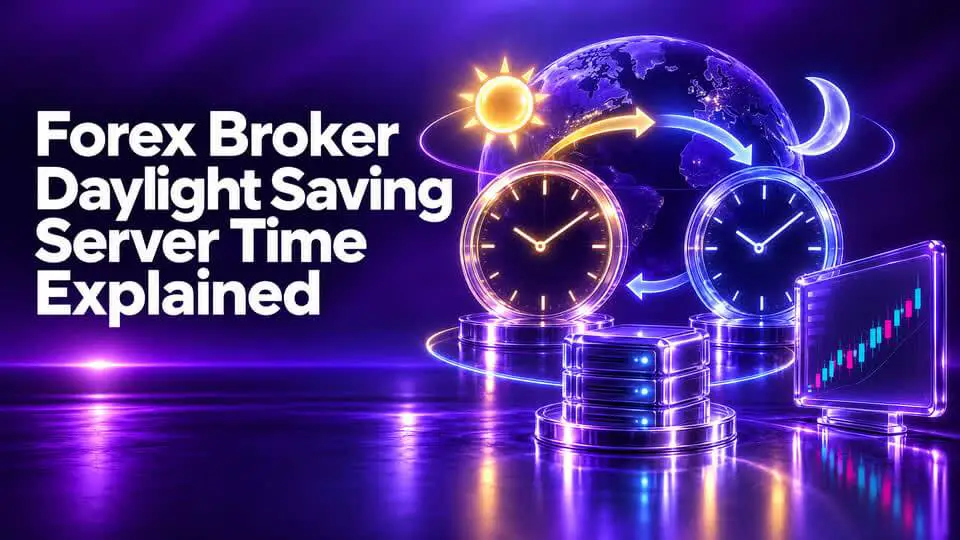
A forex broker's daylight saving server time can affect the clock displayed on trading platforms, the timing of daily candles, and the schedule used by automated trading systems. Traders who rely on fixed session hours or time-based Expert Advisors (EAs) need to understand how these changes work.
Many retail forex brokers use GMT+2 during one part of the year and GMT+3 during another. ThinkMarkets confirms that its MT4 and MT5 server time follows this pattern. Ultima Markets also documents a GMT+2/GMT+3 arrangement linked to standard time and daylight saving time. <Cite refs={["turn499143search8","turn499143search3"]}/>
However, brokers do not necessarily change their clocks on the same date. The broker's exact policy matters more than a general rule about daylight saving.
Daylight saving time (DST) is a seasonal clock adjustment used in some countries. Clocks typically move forward by one hour in spring and back by one hour in autumn.
The purpose and implementation vary by jurisdiction. Many European countries and the United States observe daylight saving, but their transition dates differ.
Bangladesh uses UTC+6 throughout the year and does not currently change its clocks seasonally. As a result, when London, New York, or a broker server changes its clock, the time difference relative to Bangladesh can change.
A broker's server time is the clock used to timestamp trading activity on its platform. When the server changes its UTC offset, chart timestamps and time-based trading schedules can shift relative to UTC and your local clock.
For example, a broker may use:
The one-hour difference does not mean the market price itself has changed because of the clock. It changes how a given moment is represented on the platform.
Suppose it is 6:00 PM in Dhaka.
|
Clock |
Example time |
|
Bangladesh local time (UTC+6) |
6:00 PM |
|
Broker using GMT+2 |
2:00 PM |
|
Broker using GMT+3 |
3:00 PM |
If the broker switches from GMT+2 to GMT+3, the server time becomes one hour later relative to UTC. The corresponding local time in Bangladesh remains unchanged.
Some brokers use server-time conventions designed to align their daily trading day with the conventional New York forex close.
Ultima Markets, for example, explains that its server uses GMT+2 during standard time and GMT+3 during daylight saving time, with its server-day convention aligned to 5:00 PM New York time. <Cite refs={["turn499143search3"]}/>
This kind of arrangement can support a consistent daily candle structure during the broker's intended operating schedule.
Nevertheless, there is no universal rule requiring every forex broker to use GMT+2 and GMT+3. Some platforms, instruments, and brokers may follow different schedules.
MetaTrader charts generally use broker server timestamps rather than your computer's local clock.
That distinction is important.
Changing your Windows time zone does not rewrite the timestamps supplied by the broker's server. A candle labelled 10:00 on the chart represents the broker's 10:00 server-time period, even if your computer shows a different local hour.
If the broker changes its server offset, the relationship between its daily candle boundary and UTC may change.
This can affect the calculated open, high, low, and close of daily candles. Traders who use daily pivots, previous-day highs and lows, or candle-based systems should check their chart definitions.
Hourly candles also carry server timestamps.
If you use a strategy based on a specific hourly candle, a seasonal clock change can alter how that candle aligns with the market session you intended to trade.
Historical data may display the broker's timestamp convention rather than your local time. When comparing chart histories between brokers, make sure the data covers equivalent moments.
The London, New York, Tokyo, and Sydney sessions follow their respective market schedules. When a city changes its local clock, the corresponding UTC and Bangladesh times can change.
The issue becomes more complicated during weeks when one region has changed clocks but another has not.
For example, the United States and Europe do not always begin or end daylight saving on the same date. During these transition periods, a trading session may appear one hour earlier or later relative to another region than traders expect.
A reliable practice is to use a current session calendar that accounts for each market's time-zone rules rather than memorizing a single schedule for the entire year.
Time-based automation is one of the areas most exposed to server-time errors.
An EA may contain instructions such as:
If the broker's server offset changes, a fixed server-hour rule may no longer align with the intended local or market time.
Before running an EA, check:
Never assume that an EA automatically handles daylight saving just because the trading platform updates its displayed clock.
Use the following procedure before the seasonal transition.
Step 1: Read the official server-time page. Search the broker's help center for “server time,” “daylight saving,” “GMT+2,” or “GMT+3.”
Step 2: Check your trading platform. Compare the current server clock with UTC.
Step 3: Ask which calendar the broker follows. Confirm whether the server adjustment follows US, European, or another schedule.
Step 4: Confirm the transition dates. Ask support when the server clock changes and whether the demo and live servers use the same rules.
Step 5: Review rollover and trading hours. Verify how the change affects daily resets, swap calculations, and the hours displayed for each instrument.
Step 6: Test time-sensitive strategies. Update indicators, alerts, and EA settings where necessary.
Before each seasonal change, review the following:
This checklist is particularly useful for traders who follow fixed session schedules or run multiple automated systems.
A time change does not automatically widen spreads or slow execution.
However, trading conditions may vary at different times of day. Liquidity, volatility, rollover, market openings, and economic announcements can influence the spread and execution quality.
The practical issue is that a time-based strategy may begin trading during a different market period if its schedule is not updated correctly.
If spreads appear different after a clock change, compare equivalent market conditions and confirm the timestamps before assuming the time change itself caused the difference.
Brokers may follow different schedules. Verify the specific server policy.
The platform clock is not necessarily the same as your computer clock.
A calendar may automatically convert events to local time, while an EA may use UTC or server time.
A strategy that depends on fixed hours may execute at the wrong time after a transition.
Neither offset is inherently superior. The important issue is whether the time convention is consistent with your trading method.
No. Server-time policies vary. Some brokers change between GMT+2 and GMT+3, while others may use different conventions.
A likely explanation is a change in the broker's server-time offset. Confirm the broker's current policy and compare its server clock with UTC.
Bangladesh uses UTC+6 throughout the year and does not currently observe seasonal clock changes.
Yes, if an indicator depends on server-hour settings, session openings, daily candles, or other time-based calculations.
Not to change the broker's chart timestamps. Your computer clock and the broker's server clock are separate. Use a consistent conversion method instead.
It does not directly change the risk of a position. However, time-based errors can cause a strategy to trade during unintended market conditions.
Understanding forex broker daylight saving server time helps prevent errors in session timing, daily candle analysis, and automated trading.
The most important step is to confirm your broker's exact server-time policy. Do not rely on a generic GMT+2/GMT+3 schedule, because transition dates and conventions can differ.
Record the offset, update your conversions, and test time-dependent tools before relying on them with a live account.